Back To Basics — How will you design Wide Area Network From Scratch?
Connecting to the internet involves more than just calling the cable company. You have to purchase computer equipment necessary to make the connection. then you have to obtain a connection from the Internet Service Provider (ISP) The ISP charges you a monthly fee that depends on the speed and capacity of the connection. Choosing an ISP and negotiating the contract is the basic first step in setting up a WAN connection for your private network
Connecting with cable or DSL
For small and home offices, the two most popular methods of connecting the Internet are cable and digital Subscriber Line (DSL). Cable and DSL connections are called broadband connections.
Cable Internet access works over the same cable that brings 40 billion TV channels into your home where as DSL is a digital phone service that works over a standard phone line. Typical cable and DSL speed ranges from 50Mbps to 1Gbps
- Cable and DSL are asymmetrical technologies, which means that their download speeds are much faster than their upload speeds.
- Business-class cable and DSL provide “best effort” service levels. the provider will do its best to keep the connection up and respond to issues, but there is no guaranteed service level.
- able and DSL access are not available everywhere.
Connecting with T1 Lines
Telephone providers such as AT&T, others offer Internet services over dedicated copper phone lines using a time-proven technology called T1. You carrier provide a guaranteed service-level agreement (SLA) with T1 line and will give you priority service if problem occurs.
T1 is symmetrical and predictable. Upload and download speeds are same. You will get the performance levels for both uploads and downloads. because the circuits are dedicated to your network, the performance will be consistent
You may be wondering whether T1 or T3 lines are really any faster than cable or DSL connections. After all, T1 runs 1.544 Mbps and T3 runs on 44.184 Mbps, and cable and DSL claim to run at much faster speeds, at least for downloads. But there are many differences that justify the substantial extra cost of a T1 or T3 line. which is a dedicated line — not shared by any other users. 1 and T3 are higher quality connections so you actually get the 1.544 or 44.184 connection speeds.
Connecting with Fiber
The fastest, more reliable and of course most expensive form of Internet connection is fiber-optic. Fiber-optic cable uses strands of glass to transmit data over light signals at very high speeds. Because the light signals traveling within the fiber cables are not subject to electromagnetic interference, a fiber connections are extremely reliable about the only thing that can interrupt a fiber connection is if someone physically cuts the wire.
Fiber connections are typically available starting at 2 Mbps and ranging up to 1Gbps. Obviously, the 1 Gbps service will cost a lot more than the 20 Mbps. But the cost of increases speed is incremental.
Connecting with a cellular network
In areas where wired service is not available, you may be able to find wireless service which provides Internet access using cellular or other wireless technology
Cellular connections are not particularly fast, but they are getting faster all the time. The most widely used generation of cellular technology (4G) can consistently achieve speeds in the neighborhood of 10 to 12 Mbps for download with peak speeds approaching 50 Mbps. Upload is bit slower, usually in the 5 Mbps range
the nest-generation cellular technology (5G) is currently being rolled out throughout the world. It can deliver speeds eight to ten times faster than 4G and is currently available in most major metropolitan areas.
Choosing Router
After we choose method to connect to the internet, we set up the connections so that your private network can access the Internet. The provider you select for your internet connection will give you an Ethernet handoff, which is simply an Ethernet port that you can use to connect to your private network. You will need a router to take that connection. The router is the device that provides the link between your private network and the Ethernet handoff that leads to the Internet
Because all communications between your network and the Internet must go through the router, the router is a natural place to provide the security measures necessary to keep your network safe from the many perils of the internet.
As a result, a router used for Internet connections often doubles as a firewall.
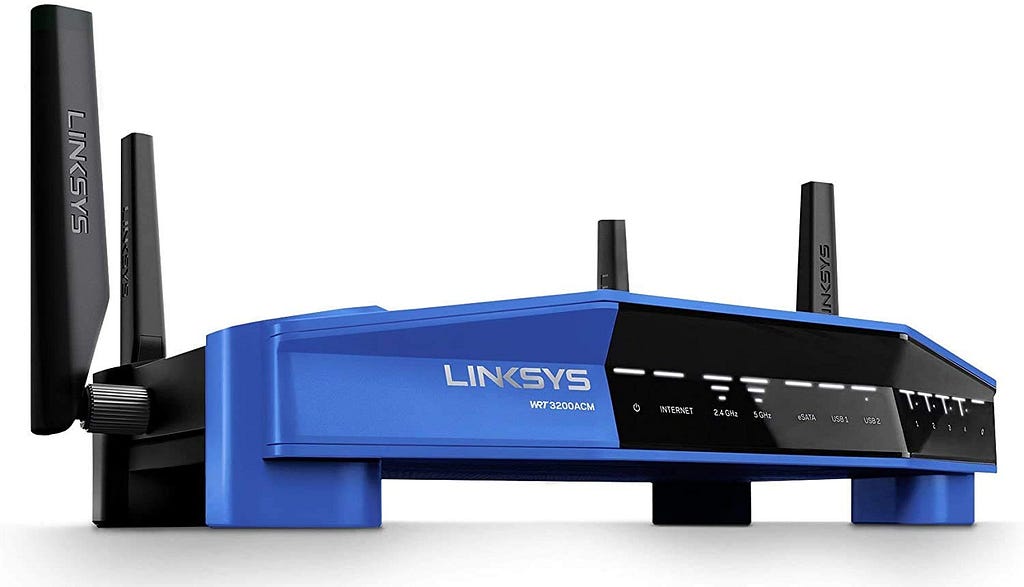
Choosing a small office router
For a small office you can probably get by with a consumer-grade router that can purchase in electronic retailer. the router specifications are :
- A WAN connection that lets you connect to your ISP’s Ethernet handoff
- A four port 1Gbps e\Ethernet Switch, you can use this to connect up to four PCs or to connect to an external switch for additional computers
- A Wi-Fi Access point that works with most 802.11 Wi-Fi standards, including 802.11 ac.
- A USB 3.0 port that lets you connect a USB disk drive to provide storage accessible throughout your network
- Built-in firewall capability
Choosing an enterprise router
For larger networks where greater throughput and more control is needed, you will want to select an enterprise -grade router. There are many brands to choose from, but most professionals select a Cisco router.
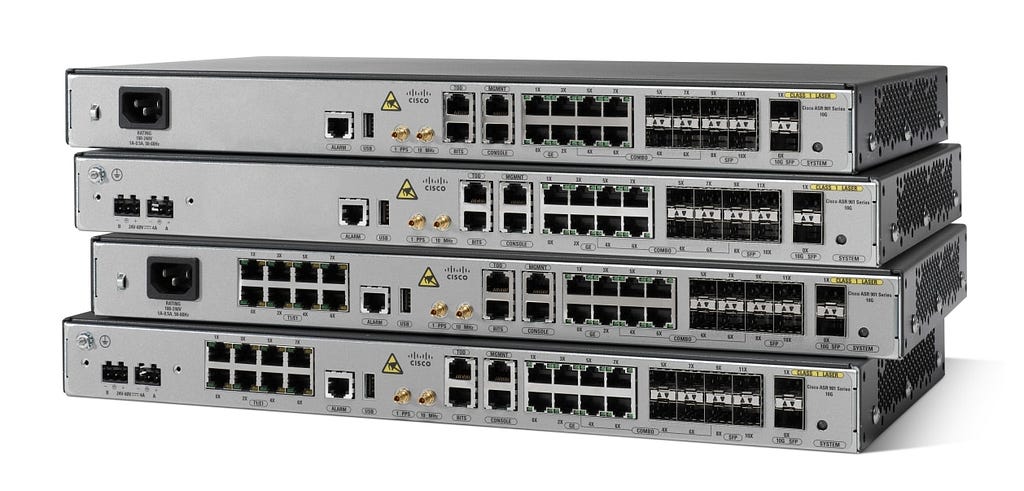
These routers range from small tabletop units to powerful rack mounted units that are capable fo serving netwroks for all sizes. ASA stands for Adaptive Security Appliance. these devices are not just routers but incorporate state-of-art firewall capabilities
ASA 5500-X Models — The main difference between the models is the total throughput that can be supported. To support the higher bandwidth, the higher model numbers have faster CPUs and more RAM than the lower model numbers. Additional models of the ASA series can support substantially more bandwidth, but these models are sufficient for nearly all midsize networks
The ASA 5506-C is designed primarily as a small branch router, where a dedicated equipment with a 19 inch rack may not be available. The other models are rack-mountable and more appropriate for larger networks where a dedicated equipment room is available
Choosing a cellular router
If you opt to use a cellular connection for Internet, either as your office’s primary connection or as a fail-over connection in case your primary connection goes down. you ll need a router that can interface with a cellular modem. Cellular modem are usually USB devices, so your router will need to provide a USB external port to connect the cellular modem to.
Securing your connection with Firewall
If your network is connected to the Internet, a whole host of security issues bubbles to the surface. A firewall is a security conscious router that sits between the Internet and your network with a single-minded task preventing them from getting to us. The firewall acts as a security guard between the Internet and your private network. All network traffic into and out of private network must pass through the firewall, which prevents unauthorized access to the network.
You can set up firewall in two different ways:
- Firewall appliance — The easiest way and usually the best choice. It is basically a self contained router with built-in firewall features.
- Server Computer — Can be set up to function as a firewall computer.
The firewall router is set up between the network and the Internet. The term perimeter or edge is sometimes used to describe the location of the firewall on your netwrok. Firewall is like a perimeter fence that completely surrounds and protects the edge of your property and forces all visitors to enter through the front gate
Providing Redundancy for your Internet Connection
When designing how your private network will connect to the internet are the reliability of the Internet Connection. You will have to provide atleast two pathways to the Internet — A primary internet connection and a backup Internet connection. The bcakup internet connection is called failover connection, because it play only when the primary connection fails. When the primary internet connection drops, the gateway router can instantly switch over to the backup connection. When the connection is established, the gateway router can revert to it.
If you use a backup Internet service with automatic fail-over, ne sure to test it periodically. The easiest way to do is simply unplug the cable from the primary Internet Ethernet handoff to the router and then see if your router has switched over to the backup connection.
Securing connections to Remote Users and Remote locations
The secure connection for remote users is by using virtual private network. A VPN works by establishing a secure tunnel between two devices that are connected to the Internet. For private network at your main office, the gateway router will provide the VPN capability. Remote users can run VPN software on their computers to connect to the main office VPN. remote sites such as branch offices should use gateway routers that can permanently connect to the VPN.
As part of WAN network planning, you should identify all the VPN capability that your network will require.
Connecting Remote Offices with an Ethernet Private Line
Your ISP may be able to provide you with a point-to-point fiber link between two office locations. This type of location is called Ethernet Private Line (EPL). An EPL is effectively the same thing as VPN except the Internet provider manages all the details necessary to maintain the privacy and security of the point-to-point link. The circuit presents itself to you as a Standard Ethernet connection, which doesn’t require a firewall on either end. So you plug both ends of the EPL circuit into a switch rather than a firewall
You can set up so that both offices have their own separate Internet Connections or you can set it up only one of the two locations has an Internet connection with a firewall, the remote location then accesses the internet via the main office’s Internet Connection.
Happy Learning!!