AWS Series — Hosting a Static Website Using S3
S3 is one of the important and Key Storage service of AWS.
AWS Series — Simple Storage Service : The most used storage in cloud
To know more about how to create S3 bucket and control the permissions, follow this
AWS Series — How do we secure S3 data?
Now Let us see something more interesting!!
How can we host a Static Website using S3?
You can use S3 to host static websites, sucha as .html sites.
Dynamic websites, such as those that require database connections, cannot be hosted on S3.
S3 Scales automatically to meet demand. Many enterprises will put static websites on S3 when they think there is going to be a large number of requests (e.g., for a resume profile)
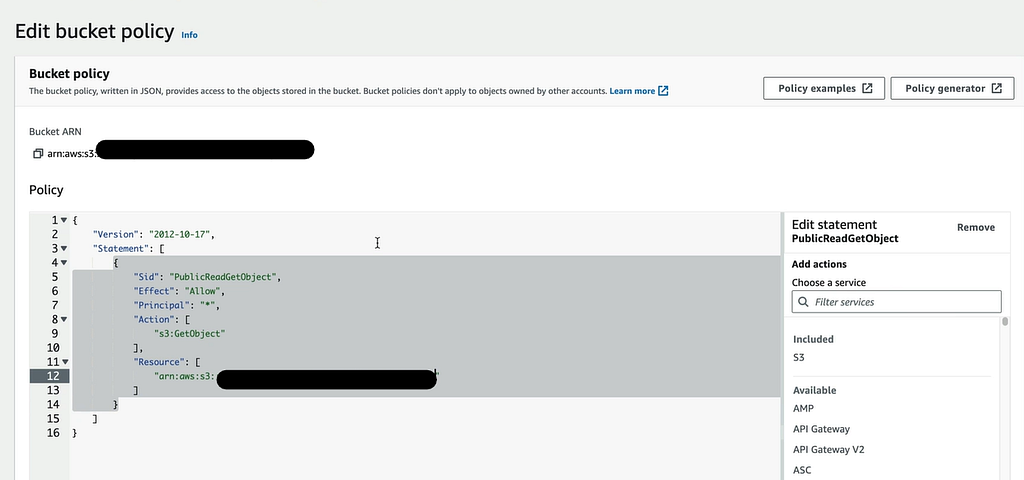
The Bucket permissions can be given in the following json document as follows
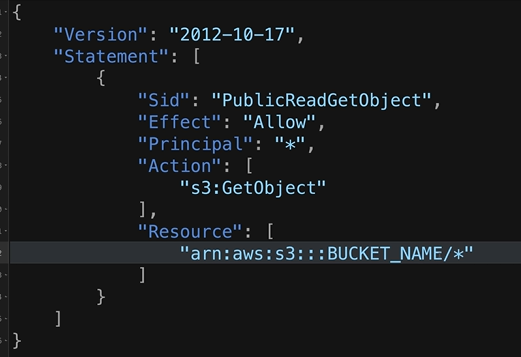
We edit the bucket name. This will allow public access to view the S3 object.
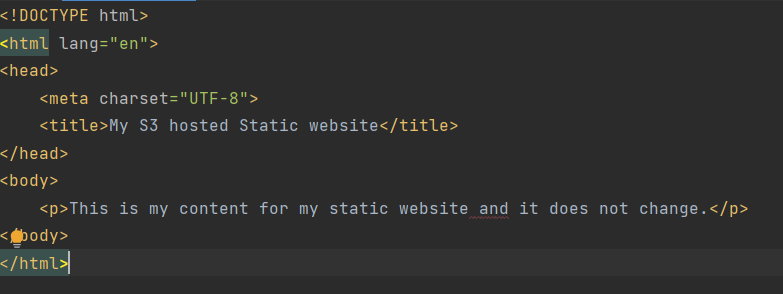
This is my index.html which I would like to show at my static web page.
Now go to S3 and create bucket. Leave the ACLs as disabled. Uncheck the Block Public Access. Leave the remaining default settings and create the bucket.
Open the bucket and go to Properties and scroll to the end. You find an option that is Static web Hosting

Click on the Edit button and Enable the Static web Hosting.
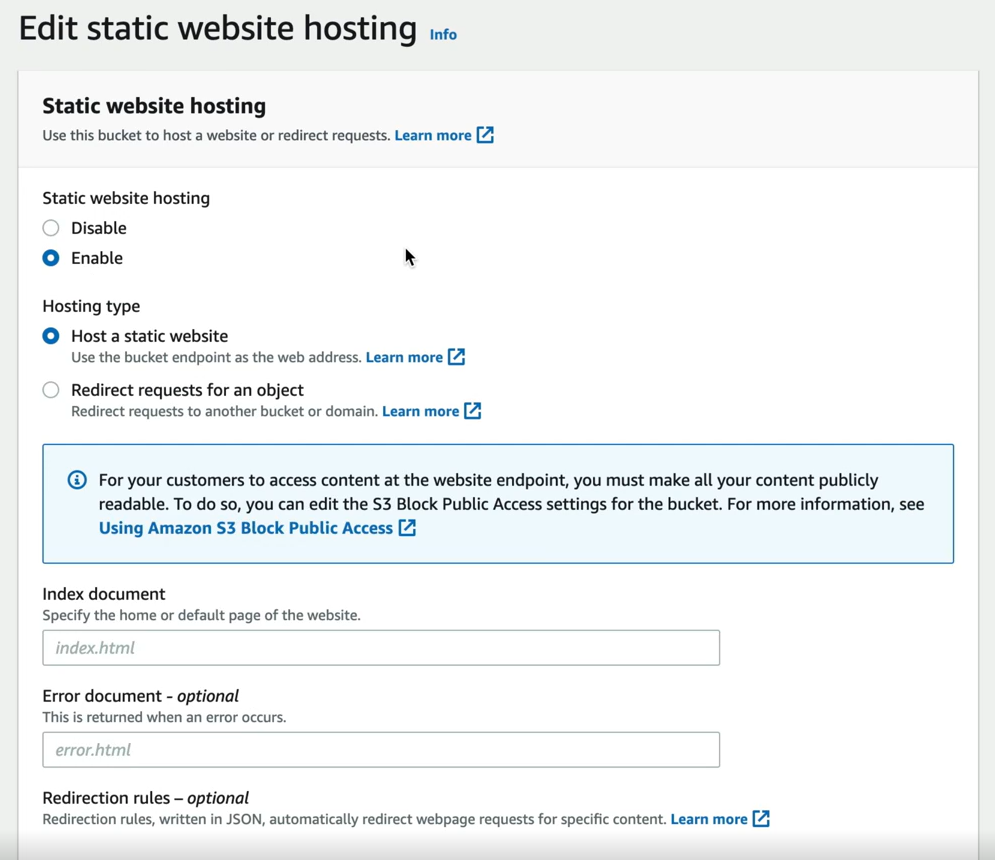
in the index document provide the name as index.html and in error document give as error.html
Now go to the Object tab and upload the files index.html and error.html.
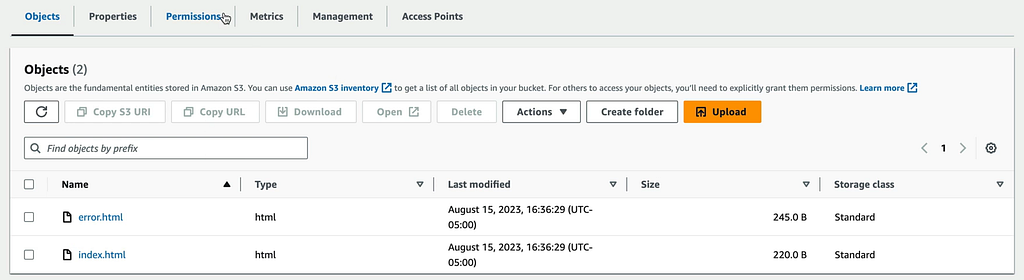
Now go to permissions and Bucket Policy. Click on Edit. Provide the json that we have shown earlier and change the BUCKET_NAME
Now go to Static Website Hosting section again. You will find the Bucket website endpoint. Click on it and you will be able to see index.html
If you check the bucket the Access would be public.

The website is static and do not have any database connections.
Points to Remember —
- Bucket Policies — Make entire buckets public using bucket policies.
- Static content — Use S3 to host static content only ( not dynamic content)
- Automatic Scaling — S3 scales automatically with demand.