AWS Series — Secret for creating 100’s of VM with same applications and settings
What are Volumes?
Volumes are simply virtual hard disks. You need a minimum of 1 volume per EC2 instance. This is called the Root Device Volume.
What are Snapshots?
- Snapshots exist on S3 — It is the photograph of the virtual disk/volume.
- Snapshots are point in time — When you take a snapshot, it is a point-in-time copy of a volume.
- Snapshots are incremental — This means only the data that has been changed since your last snapshot are moved to S3. This saves dramatically on space the time it takes to take a snapshot.
- The First snapshot takes some time to create — If it is first snapshot, it may take some time to create as there is no previous point-in-time copy.
Points to remember about Snapshots —
- Consistent Snapshots — Snapshots only capture data that has been written to your Amazon EBS volume, which might exclude any data that has been locally cached by your application or OS. For a consistent snapshot, it is recommended you stop the instance and take a snap.
- Encrypted Snapshots — If you take snapshot of encrypted EBS volume, the snapshot will be encrypted automatically.
- Sharing Snapshots — You can share snapshots, but only in the region in which they were created. To share to other regions, you will need to copy them to the destination region first.
EBS Volumes will always be on the same Availability Zone as EC2 instance that it is attached to.
More about Types of EBS volumes. Please read the below article before you proceed further.
AWS Series — What is Elastic Block Store?
You can resize EBS volume on the fly. You do not need to stop or restart the instance. However, you will need to extend the filesystem in the OS so the OS can see the resized volume.
You can also change the volume types on the fly. You do not need to stop or restart the instance.
Let us see how to do this practically
- Go to AWS Management Console > Compute > EC2 > Launch Instance.
- Give it a name and place the same default settings. Go to Configure Storage.
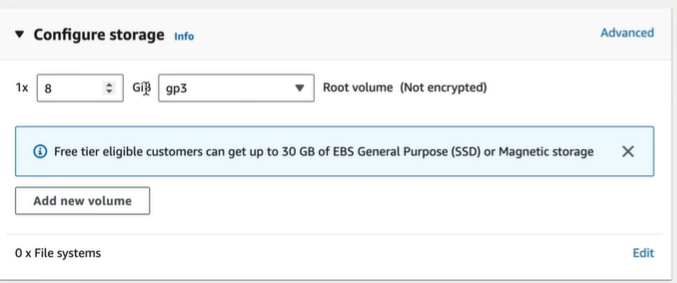
- This is the default storage. Click on Add New Volume > Select Standard Volume. We can add as many volumes as we want.
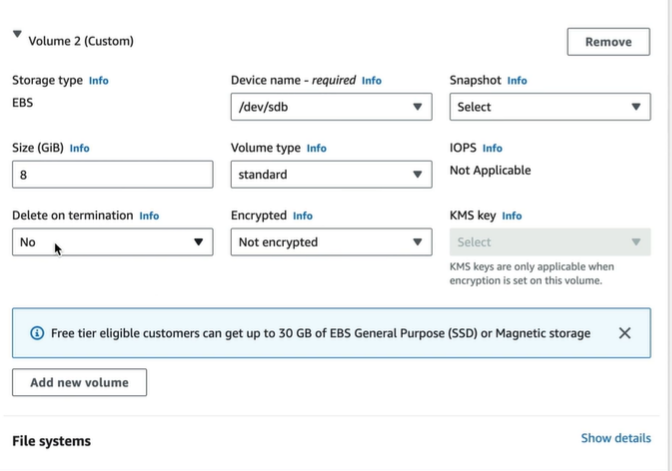
Now launch the instance.
- Open the EC2 instance and go to Storage.

We can go to Volumes on the left menu which will also list all the volumes that are present.
Select the volume and in Actions you can choose Modify Volume.
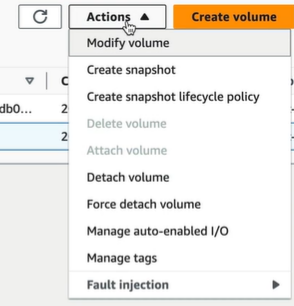
This will allow us to modify the volume type and size
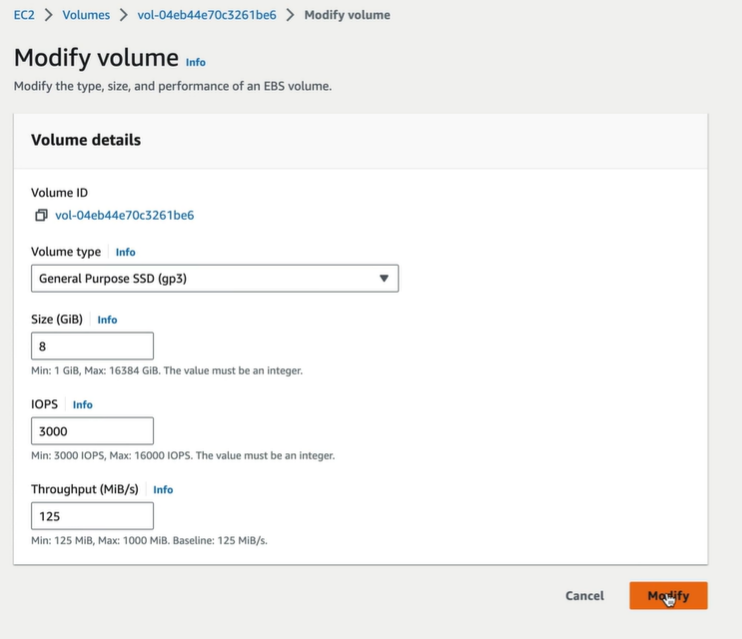
On clicking modify the settings of the EBS will be updated to new values
To Detach a volume > select the Volume > Actions > Detach volume.
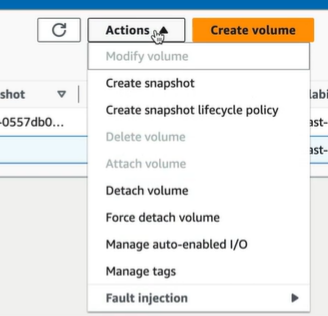
This will detach the volume from EC2 just like unplugging hard drive.
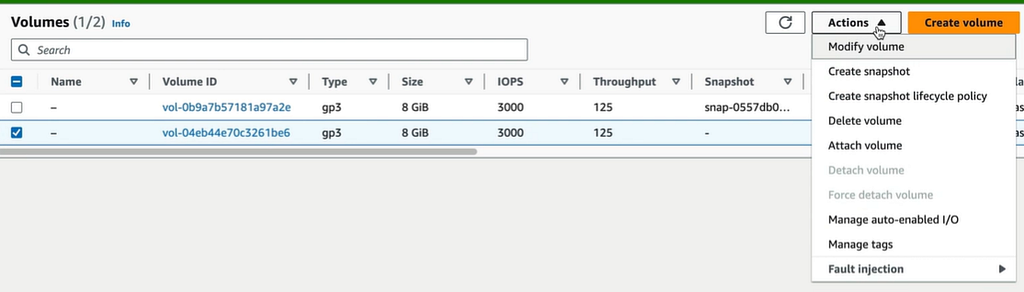
This will only remove the connection from EC2 but not delete the volume. To delete the volume > Select the volume > Actions > Delete the volume.
How Can we migrate EC2 instances from one region to Other region?
First, we go to Root Device Volume ( Where our OS is installed). Select the volume > Actions > Create Snapshot
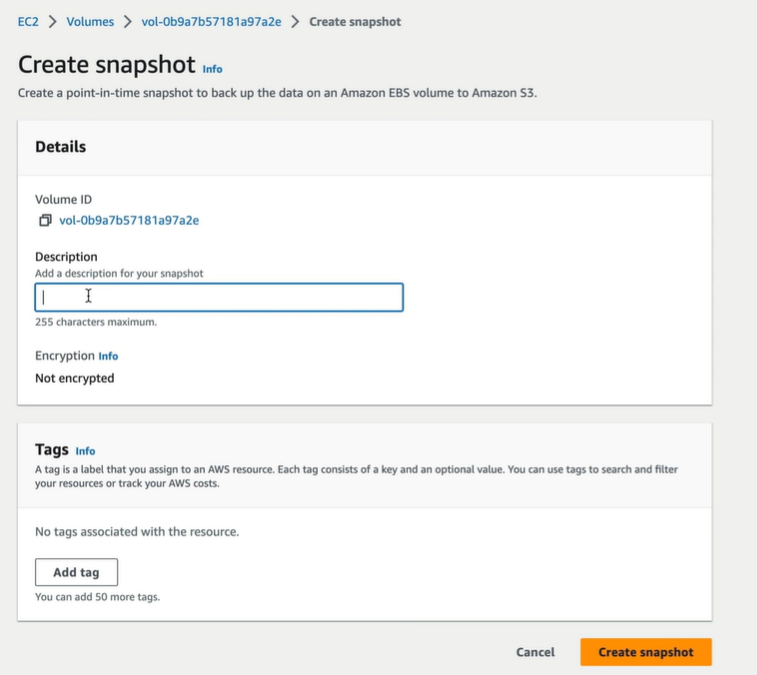
Give it a description and click on Create Snapshot. Go to Snapshots and it is created and stored in S3
Go to snapshot> Actions > Copy Snapshot
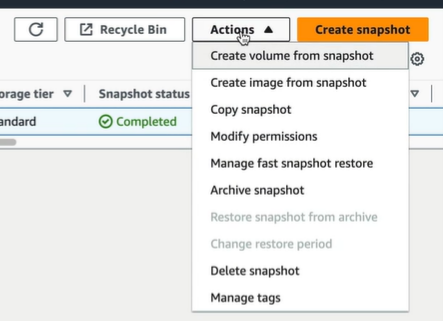
We have to change the destination region where the snapshot should be copied. It can also be encrypted if selected
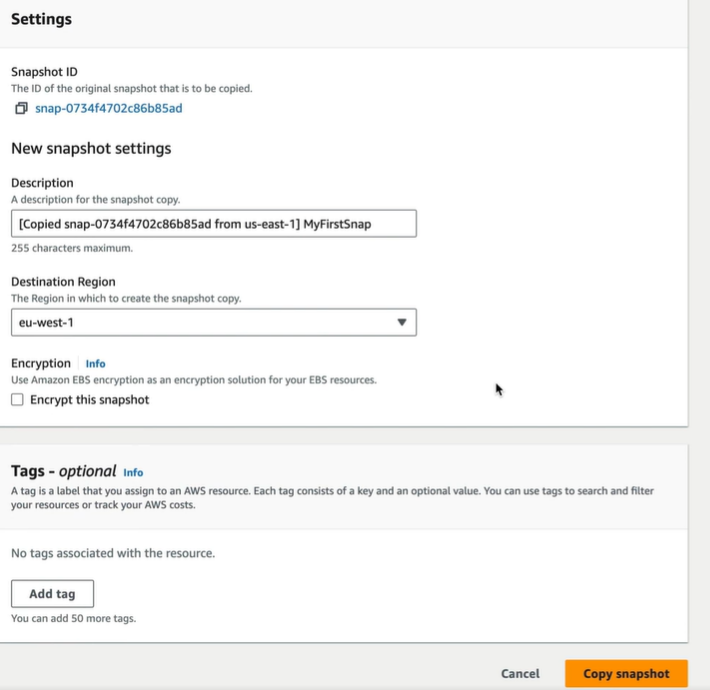
This way you create a template and deploy all over the regions and use for all EC2 instances.
When we go to the new destination region and check the snapshot. Once the snapshot is available, select the snapshot > Actions > Create Image from Snapshot
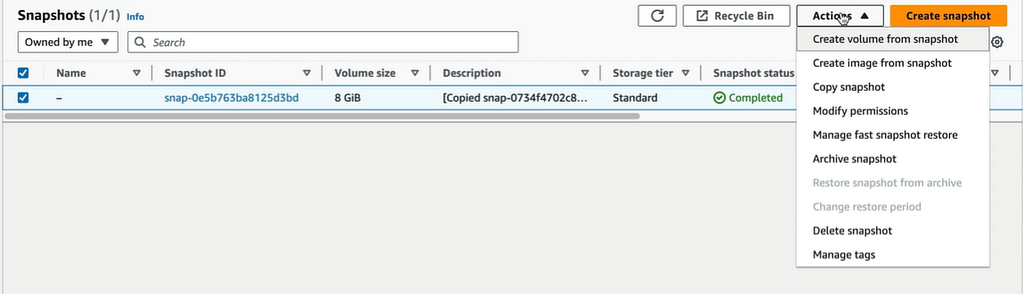
On creating the image, it is saved on to AMI. This can be selected and launch an instance from this which acts as template from now.
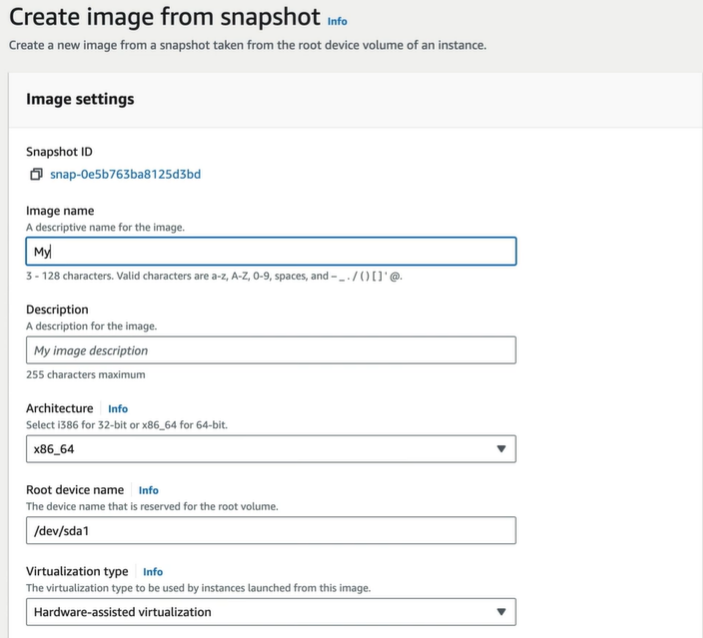
This is the best way to create number of EC2 instances across the regions with the same settings.
Points to remember —
- Volumes exist on EBS, whereas snapshots exist on S3
- Snapshots are point-in-time photographs of volumes and are incremental in nature.
- The first snapshot will take some time to create. For consistent snapshots, stop the instance and detach the volume.
- You can share snapshots between AWS accounts as well as between regions, but first you need to copy that snapshot to the target region
- You can resize EBS volumes on the fly as well as changing the volume types.