AWS Series — Guards of Subnets : Security Group, Network ACLs
As you all know, security is the crucial aspect of any application running on the cloud. To control who can access resources in my subnet and what my resources in subnet can access is defined using Security Groups and Network ACLs.
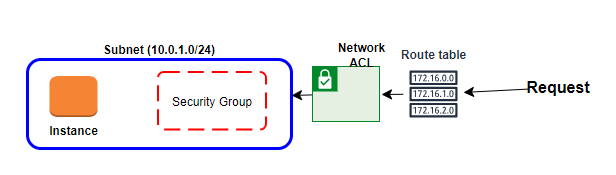
Any request to the instance should route through Network ACLs and Security groups which decides if the request can be reached to the instance or not.
What is Security Group?
Security Groups are virtual firewalls for an EC2 Instance. By default, everything is blocked.
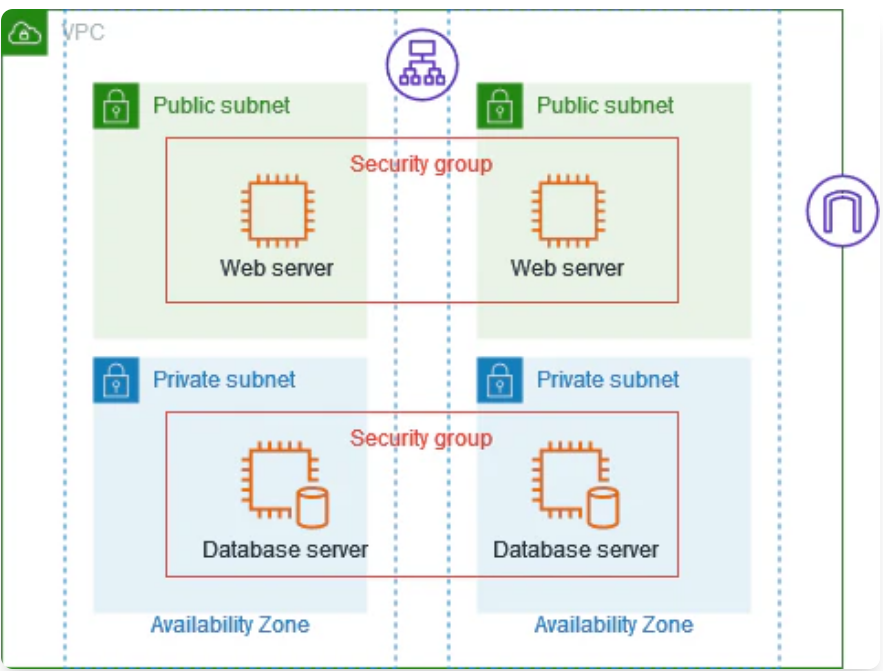
To let the all traffic in we use 0.0.0.0/0. In order to communicate to your EC2 instances via SSH, RDP or HTTP, you will need to open up the correct ports
Security Groups are stateful — if you send a request from your instance, the response traffic for that request is allowed to flow in regardless of inbound security group rules.
Responses to allowed inbound traffic are allowed to flow out, regardless of outbound rules.
This can be controlled using Network ACLs
What is Network ACLs?
This is first line of defense. A network access control list (ACL) is an optional layer of security for your VPC that acts as a firewall for controlling traffic in and out of one or more subnets.
You might set up network ACLs with rules similar to your security groups in order to add another layer of security to your VPC.
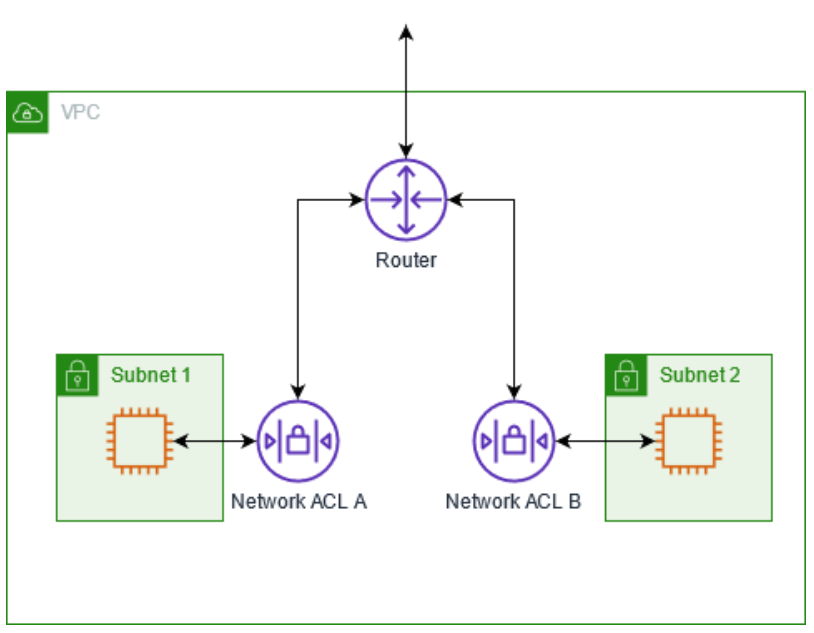
VPC comes with default network ACLs and by default it allows all outbound and inbound traffic.
We can also create custom Network ACLs. By default, each custom network ACLs denies all inbound and outbound traffic until you add rules.
Each subnet in your VPC must be associated with a network ACL. If you don’t explicitly associate a subnet with a network ACL, the subnet is automatically associated with the default network ACL.
Block IP addresses can be done only using network ACLs, not security groups.
- We can associate a network ACL with multiple subnets. However, a subnet can be associated with only 1 network ACL at a time. When you associate a network ACL with a subnet, the previous association is removed.
- Network ACLs contain a numbered list of rules that are evaluated in order, starting with the lowest numbered rule.
- Network ACLs have separate inbound and outbound rules, and each rule can either allow or deny traffic.
- Network ACLs are stateless, responses to allowed inbound traffic are subject to the rules for outbound traffic and vice versa
We can go to VPC that we would like to modify the network ACLs for and then select the Network ACLs. You will find all the network ACLs associated with it. Click on the Network ACLs and you find inbound and outbound rules for the Network ACLs
When we create new Network ACLs By default everything is denied.
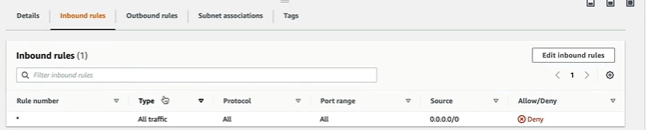
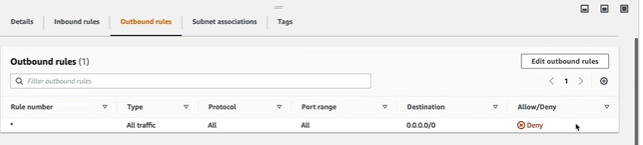
When we associate the public subnet in the subnet associations to the Network ACLs. Edit the Inbound rule. Start with number 100 for the Rule number and this is AWS recommended.
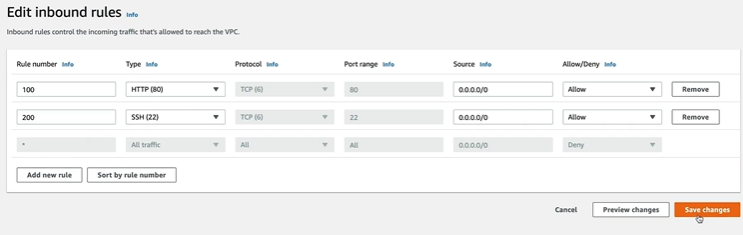
Allow both HTTP and SSH to allow everything. We also have to add outbound rules in similar way. but we only allow ephemeral ports which is from 1024–65535. If the client sends request on say port 80, the server is going to choose random port to reply on. that random port is only going to be open for temporary length of the session.
What happens if we add new rule with 300 rule number and deny the HTTP port 80. Nothing happens as it is evaluated based on the order of rule number. 100 is evaluated first and takes priority over the 300.
If we want to block the IP address we can add here but make sure the rule number is before everything else and enter the specific IP address in the Source.
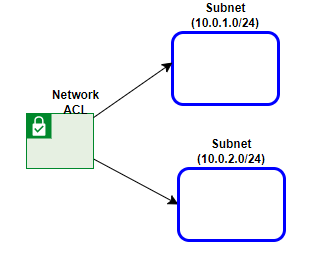
Network ACLs can be associated with multiple subnets. But each subnet should be associated with 1 network ACL.